Since its launch in 1964, Nike has become world-famous for its high-quality footwear and range of sports apparel. And now it is all instantly available from your smartphone or computer thanks to a digital Nike Gift Card. From Converse to Air Jordan’s, t-shirts to swimwear and everything in between – get it all with secure prepaid credit. Use your digital code like cash at checkout online for your favourite Nike products!
Note:
1. All purchases made with gift cards at Nike.com are subject to the acceptance of our Terms of Sale for online purchasing. You acknowledge that you have carefully read such Terms of Sale and agree to fully comply with them.
2. Only ONE code PER transaction, NO combination of codes is allowed.
3. Code can be applied either in your bag or at the checkout page.
Step 1: Once the purchase from SEAGM, kindly retrieve your game card code in"My Cards".
Step 2: Kindly register or log in to your Nike account. 
Step 3: Once logged in, kindly select your preferred items and click "Buy it Now" or "Add to Cart".
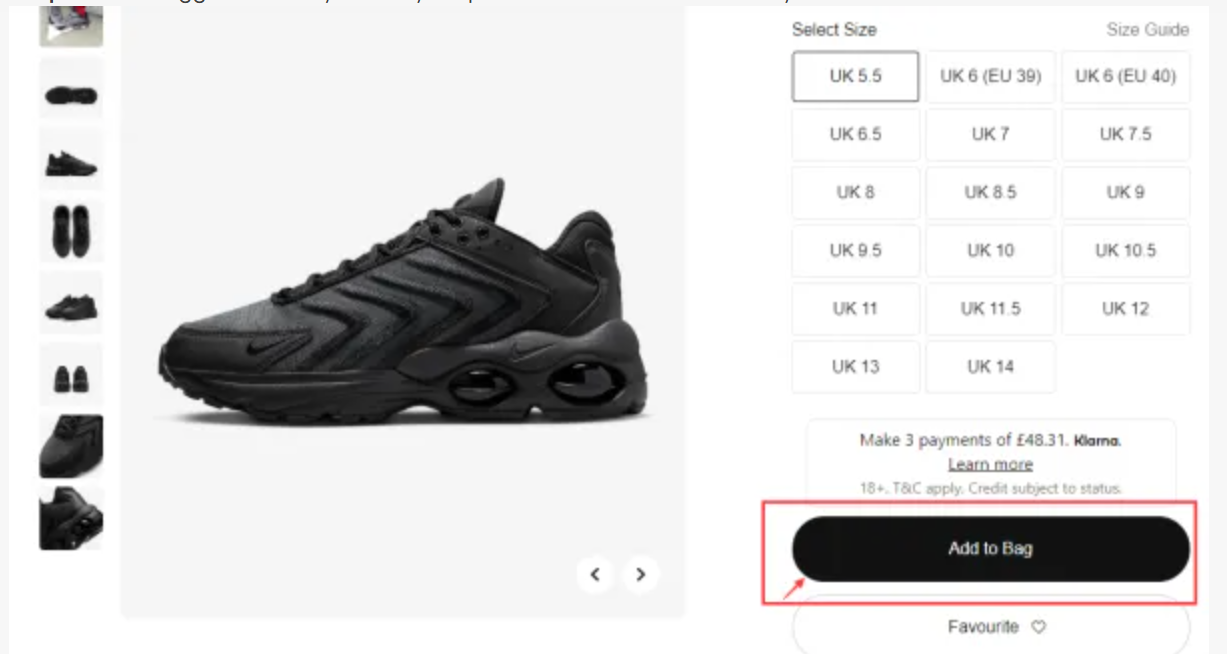
Step 4: After selecting the product that you need, click on the bag icon on the right side of the page. 
Step 5: Click on "Do you have a Promo Code" below the "Summary" section and apply the code purchased from SEAGM. Then, click "Apply". 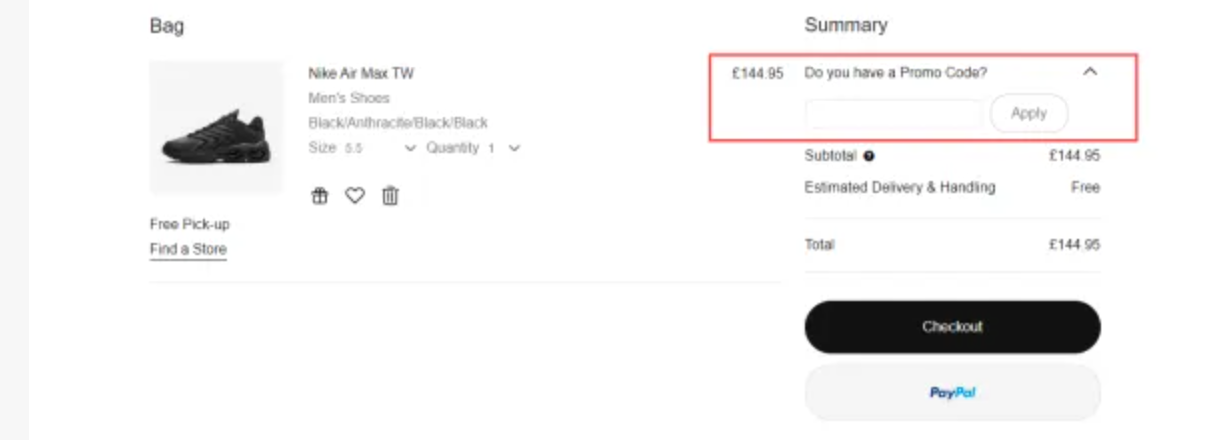
Step 6: Once applied, the funds will automatically be applied to your order total amount.
Step 7: Check the amount and click "Checkout" to complete the whole transaction as usual.
For more detailed information, kindly visit the Nike Helpdesk Support.
Thank you.
Visit the SEAGM Support site for quick answers and guides.
Need support? Contact our Customer Support via LiveChat .